> ## Documentation Index
> Fetch the complete documentation index at: https://docs.shiftkeeper.io/llms.txt
> Use this file to discover all available pages before exploring further.
# Shift calendar
> View the shift calendar for a schedule
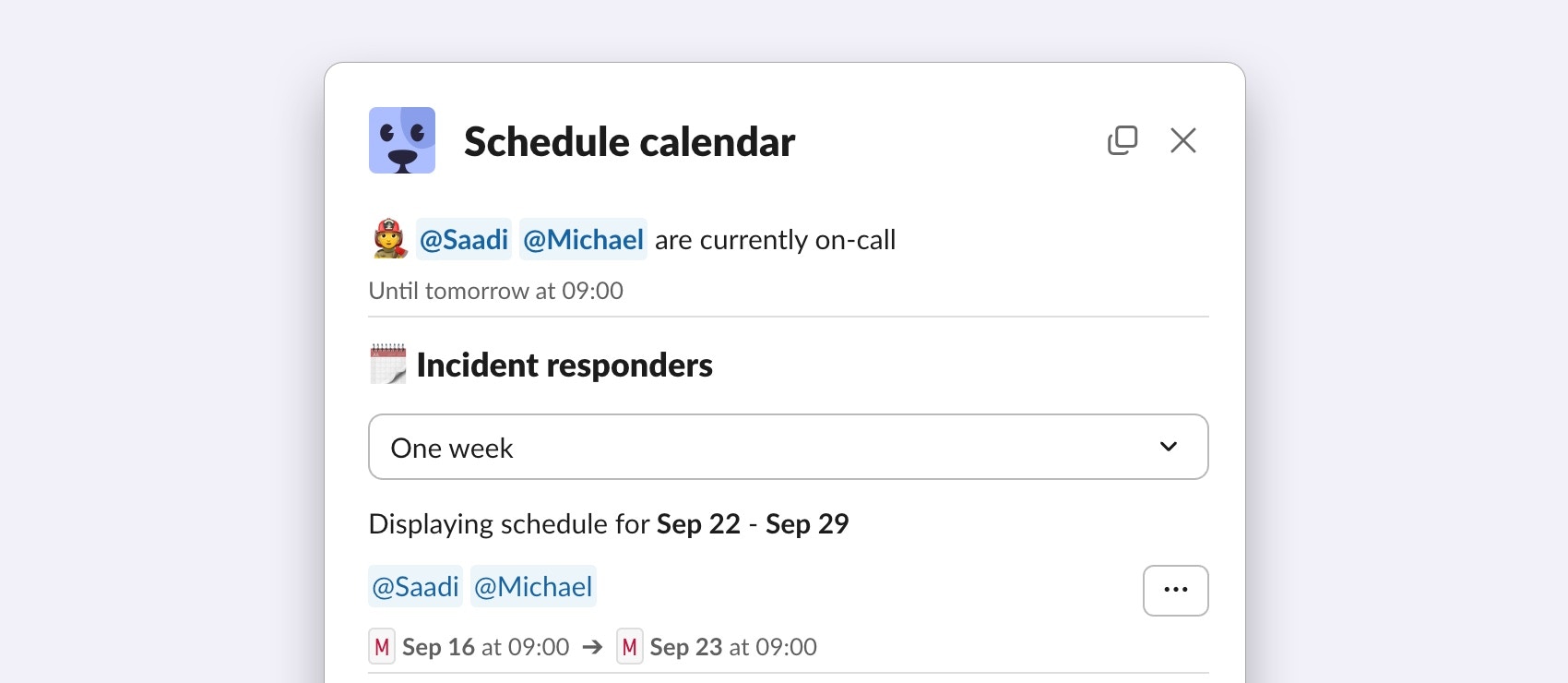 The schedule calendar displays all past and upcoming shifts for a schedule.
1. Go to the Shiftkeeper home tab.
2. In the schedule list, click on the `...` button and then `View calendar`.
Simply open any schedule from the [Schedules](https://app.shiftkeeper.io/schedules) page.
The calendar view also enables to you take quick actions on a shift, e.g., [override a shift](/shiftkeeper/schedules/overrides).
## Calendar app integration
You can export schedules to your calendar app, e.g., Google Calendar, Apple Calendar, Outlook, etc.
To export only your own on-call shifts, refer to the [on-call shifts](/shiftkeeper/oncalls) guide instead.
### Exporting a schedule to your calendar app
The guide below refers the Apple Calendar app. The flow is similar for other calendar apps.
1. Go to the Shiftkeeper home tab.
2. In the schedule list, click on the `...` button and then `Export`.
3. Copy the displayed iCal URL.
4. Open the Apple Calendar app.
5. Choose `File > New Calendar Subscription`.
6. Enter the copied iCal URL, then click `Subscribe`.
7. Adjust the subscription settings as preferred and click `OK`.
1. Go to your schedule via the [Schedules](https://app.shiftkeeper.io/schedules) page.
2. Click on the `Export` button.
3. Copy the displayed iCal URL.
4. Open the Apple Calendar app.
5. Choose `File > New Calendar Subscription`.
6. Enter the copied iCal URL, then click `Subscribe`.
7. Adjust the subscription settings as preferred and click `OK`.
Any changes to the schedule shifts will be reflected in the calendar feed automatically, no manual updates are needed.
Changes might take some time to be reflected in your calendar, depending on the auto-refresh period you have selected for the calendar subscription.
Shifts which have finished more than two months ago are not exposed in the calendar feed.
### Removing a schedule from your calendar app
To remove a schedule from your calendar app, simply delete the calendar subscription.
For example, in the Apple Calendar app, you can do this by right-clicking on the calendar from the list, and then choosing `Unsubscribe`.
### Calendar app subscription guides
Below you can find a few guides on how to create calendar subscriptions in popular calendar apps.
* [Apple Calendar](https://support.apple.com/guide/calendar/subscribe-to-calendars-icl1022/mac)
* [Google Calendar](https://support.google.com/calendar/answer/37100), under the `Use a link to add a public calendar` section
* [Outlook](https://support.microsoft.com/en-us/office/import-or-subscribe-to-a-calendar-in-outlook-com-or-outlook-on-the-web-cff1429c-5af6-41ec-a5b4-74f2c278e98c)
The schedule calendar displays all past and upcoming shifts for a schedule.
1. Go to the Shiftkeeper home tab.
2. In the schedule list, click on the `...` button and then `View calendar`.
Simply open any schedule from the [Schedules](https://app.shiftkeeper.io/schedules) page.
The calendar view also enables to you take quick actions on a shift, e.g., [override a shift](/shiftkeeper/schedules/overrides).
## Calendar app integration
You can export schedules to your calendar app, e.g., Google Calendar, Apple Calendar, Outlook, etc.
To export only your own on-call shifts, refer to the [on-call shifts](/shiftkeeper/oncalls) guide instead.
### Exporting a schedule to your calendar app
The guide below refers the Apple Calendar app. The flow is similar for other calendar apps.
1. Go to the Shiftkeeper home tab.
2. In the schedule list, click on the `...` button and then `Export`.
3. Copy the displayed iCal URL.
4. Open the Apple Calendar app.
5. Choose `File > New Calendar Subscription`.
6. Enter the copied iCal URL, then click `Subscribe`.
7. Adjust the subscription settings as preferred and click `OK`.
1. Go to your schedule via the [Schedules](https://app.shiftkeeper.io/schedules) page.
2. Click on the `Export` button.
3. Copy the displayed iCal URL.
4. Open the Apple Calendar app.
5. Choose `File > New Calendar Subscription`.
6. Enter the copied iCal URL, then click `Subscribe`.
7. Adjust the subscription settings as preferred and click `OK`.
Any changes to the schedule shifts will be reflected in the calendar feed automatically, no manual updates are needed.
Changes might take some time to be reflected in your calendar, depending on the auto-refresh period you have selected for the calendar subscription.
Shifts which have finished more than two months ago are not exposed in the calendar feed.
### Removing a schedule from your calendar app
To remove a schedule from your calendar app, simply delete the calendar subscription.
For example, in the Apple Calendar app, you can do this by right-clicking on the calendar from the list, and then choosing `Unsubscribe`.
### Calendar app subscription guides
Below you can find a few guides on how to create calendar subscriptions in popular calendar apps.
* [Apple Calendar](https://support.apple.com/guide/calendar/subscribe-to-calendars-icl1022/mac)
* [Google Calendar](https://support.google.com/calendar/answer/37100), under the `Use a link to add a public calendar` section
* [Outlook](https://support.microsoft.com/en-us/office/import-or-subscribe-to-a-calendar-in-outlook-com-or-outlook-on-the-web-cff1429c-5af6-41ec-a5b4-74f2c278e98c)